How-to guides / Toppings and add-ins
Toppings and add-ins
Keep toppings, fillings, mix-ins and glazes in their own groups, apart from the dough.
-
1
Where toppings go
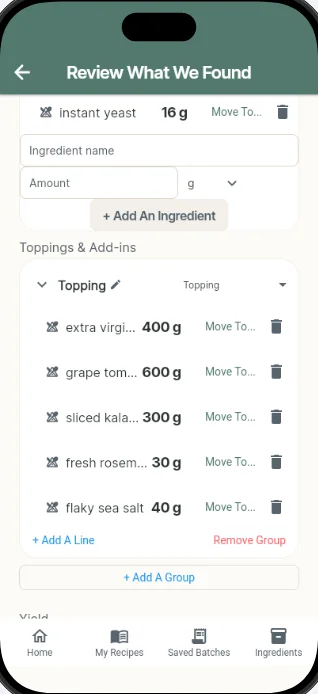
On Review What We Found, your dough lines sit under Ingredients.
Toppings, fillings, mix-ins and glazes sit below, under Toppings & Add-ins. Each one is in a group.
Each group has a name and a type: Filling, Topping, Mix-in or Glaze/Icing/Frosting.
When Dough123 reads a recipe, it makes the groups for you. A heading like "For the maple glaze:" becomes a group called Maple Glaze. A line with no heading goes in a group named after its type, like Toppings.
Why it matters: toppings stay out of your dough weight and your bread checks. They still scale with every batch and count in its cost.
-
2
Add a group
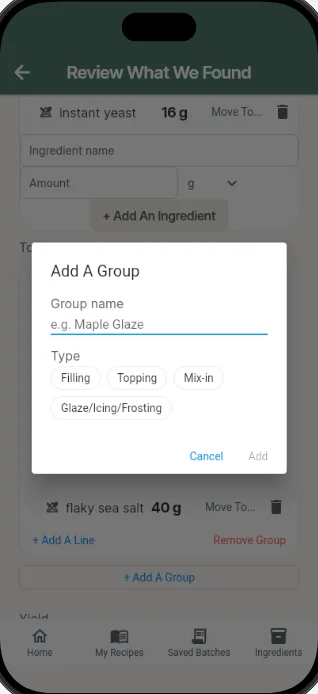
- Tap + Add A Group under the groups.
- Type the Group name, like Maple Glaze.
- Pick its Type.
- Tap Add. It stays pale until you have a name and a type.
- Under the new group, type the Ingredient name and Amount, and pick the unit.
- Tap + Add To Group. Do the same for each line.
- Tap Done Adding when you're finished.
To add a line later, tap + Add A Line in the group.
-
3
Change or remove a group
- Rename it: tap the group's name. Type the new name in Rename Group and tap Save.
- Change its type: pick a new one in the box on the right of the group's name.
- Fold it shut: tap the arrow on the left. It shows the name and how many lines it has. Tap again to open it.
- Remove one line: tap the trash can on the line, then Remove.
- Remove the whole group: tap Remove Group. It asks Remove this group? Tap Remove. Its lines go too.
Nothing is saved until you save the recipe.
-
4
Move a line
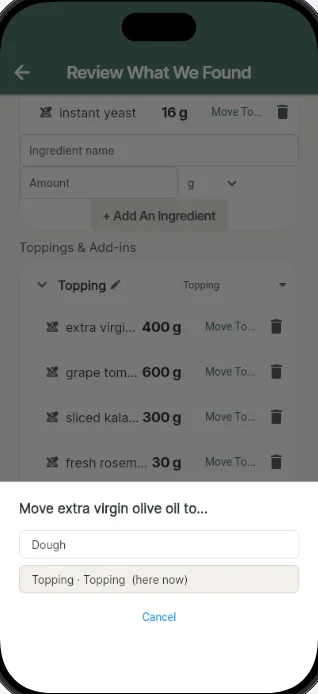
Every line has Move To..., dough lines too.
- Tap Move To... on the line.
- Pick Dough or one of your groups. Where the line is now says (here now).
Use this when a line landed in the wrong place. Example: olive oil for the dough that was read as a topping.
No groups yet? It says No groups yet. Tap + Add A Group under Toppings & Add-ins first.
-
5
Match your toppings
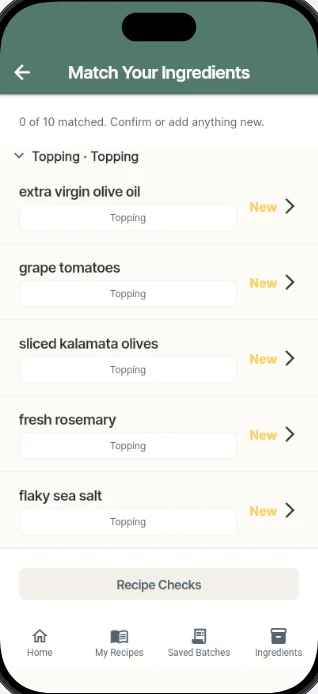
Tap Looks Good, Continue. On Match Your Ingredients, your dough lines come first.
Each group comes next, under its own heading, like Topping · Topping. The box under each line shows its type.
Match each line the same way as a dough line. See Match your ingredients.
Matching never moves a line. To move one, go back to Review What We Found and use Move To....
-
6
On your recipe
Open the recipe from My Recipes.
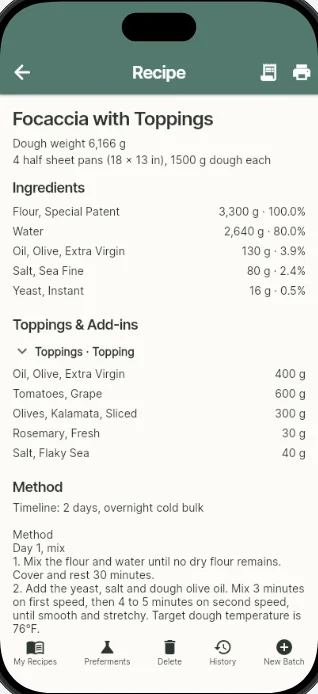
- Ingredients lists the dough lines, each with its baker's %.
- Dough weight leaves the toppings out.
- Toppings & Add-ins lists each group with its lines, in grams.
The printed recipe has a Toppings & Add-ins part too, after Preferments and before Method.
-
7
In your batches
Toppings scale with your batch. Extra pieces for yield loss get their toppings too.
On Results, the + Toppings line is what they cost.
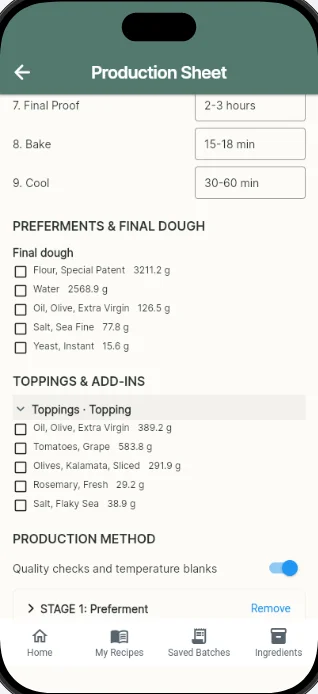
On the Production Sheet, TOPPINGS & ADD-INS comes after PREFERMENTS & FINAL DOUGH. Each line shows its weight for this batch, with a box to tick off as you scale.
On the printed sheet, the groups print side by side.