How-to guides / Add a recipe
Add a recipe
Bring in a recipe from a photo, a file, pasted text or a spreadsheet, or type it in yourself.
-
1
Open Import Recipe
On Home, tap the green + Import A Recipe button.
On the Free plan, a box at the top shows how many free recipes and recipe reads you have left. A read that fails doesn't count.
-
2
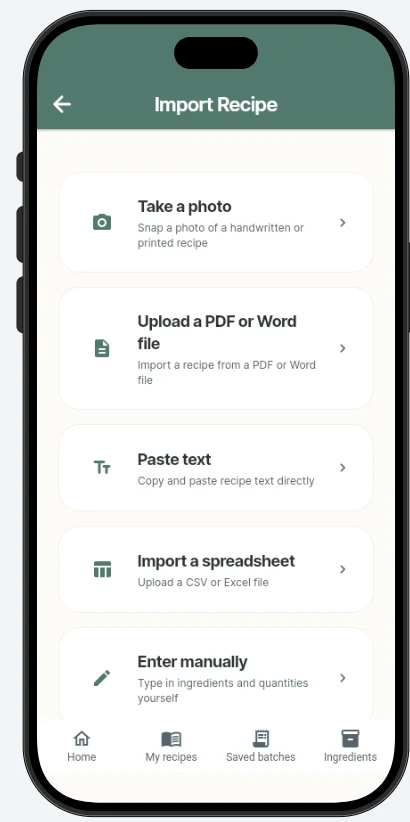
Pick how to bring it in
Take A Photo Snap a photo of a handwritten or printed recipe. Upload A PDF Or Word File Pick a recipe file from your phone. Paste Text Copy recipe text from anywhere and paste it in. Import A Spreadsheet Pick a CSV or Excel file. Enter Manually Type the ingredients and amounts yourself. Skips straight to step 4 with empty boxes. Dough123 reads the recipe for you. You'll see Reading your recipe... for a few seconds.
-
3
Example: paste a recipe
- Copy your recipe text.
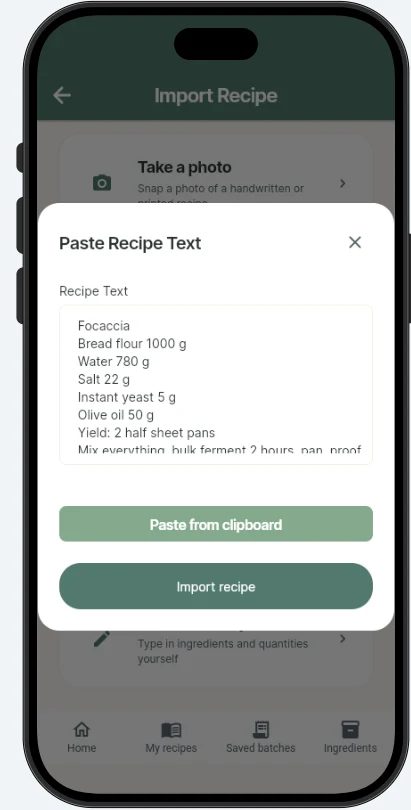
- Tap the Paste Text tile. The Paste Recipe Text box opens.
- Tap Paste From Clipboard. Your recipe fills the box.
- Tap Import Recipe.
-
4
Check what we found
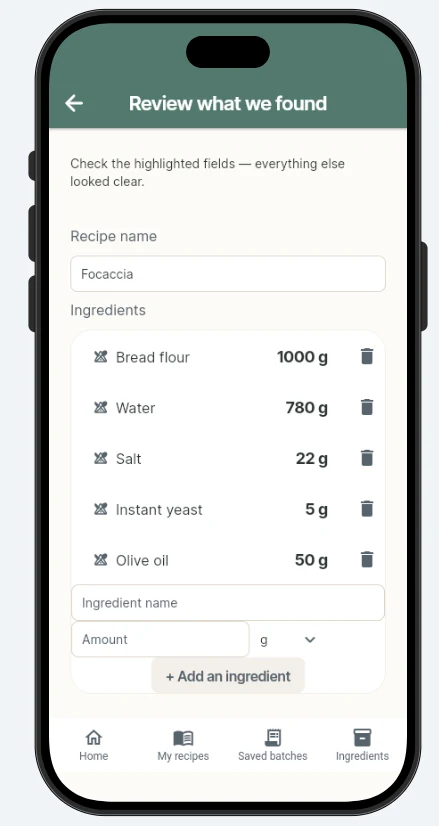
Review What We Found shows the recipe as Dough123 read it. Check the highlighted fields first.
- Fix the Recipe name or any amount by tapping it.
- Tap the trash can icon to take a line off. Tap Remove to confirm.
- Missing an ingredient? Type it in Ingredient name and Amount, pick the unit, and tap + Add An Ingredient.
Toppings, fillings, mix-ins and glazes sit lower down, under Toppings & Add-ins. See Toppings and add-ins.
-
5
Finish the recipe
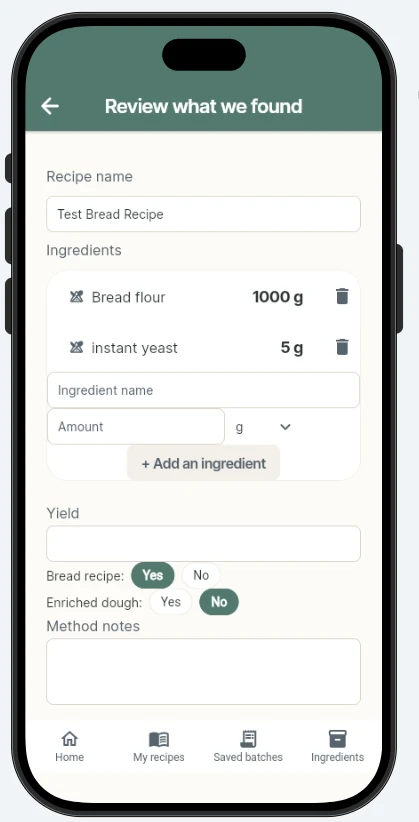
- Yield: how much the recipe makes. Type it if it's empty.
- Bread recipe: Yes turns on the bread checks for salt, hydration and yeast. For a sweet, rich dough like brioche, also set Enriched dough to Yes. Always check this one.
- Method notes: your steps, as read from the recipe.
Then tap one of these:
- Looks Good, Continue takes you to Match Your Ingredients. That's the next guide.
- Save And Finish Later saves it to My Recipes so you can come back to it.
If you leave before saving, the app asks Leave this recipe? Tap Stay to keep working.