How-to guides / Getting started
Getting started
Create your account and set your cost defaults. It takes about five minutes.
-
1
Create your account
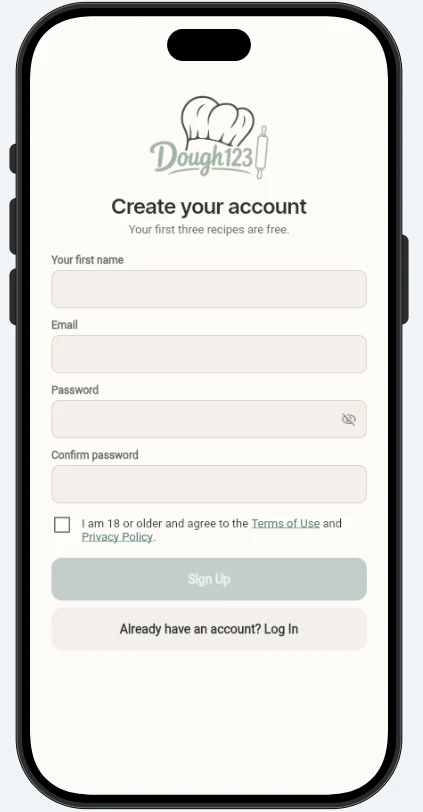
Open Dough123 and tap Create An Account under the Log In button.
- Fill in Your first name, Email, Password and Confirm password. Your password needs at least 6 characters.
- Tick the box: I am 18 or older and agree to the Terms Of Use and Privacy Policy.
- Tap Sign Up.
Sign Up stays pale until your first name is filled in and the box is ticked.
-
2
Enter your code
The app opens Check your email. We send a six-digit code from support@dough123.com, sent as "Dough123".
- Type the code in the Code box and tap Confirm.
- No email? Check your spam or junk folder, or tap Send A New Code. Use the newest email.
-
3
Meet your Home screen
Home greets you by name. Your account starts with a ready-made ingredient library and sample recipes, so you can try things right away.
A tip at the top says Set your cost defaults first. Tap Set Them Now to go straight to step 4. Tap OK to do it later.
-
4
Set your cost defaults
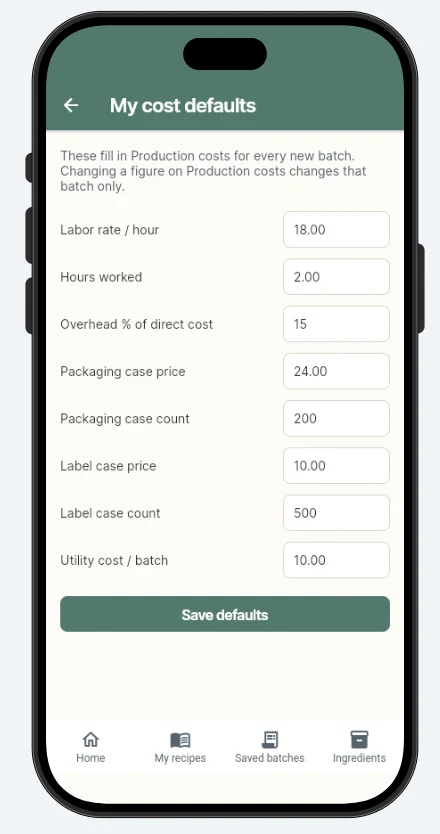
Your cost defaults fill in Production Costs for every new batch. Set them once.
To find them later: tap the person icon at the top of Home, then My Cost Defaults.
Labor rate / hour What you pay for one hour of labor. Hours worked Hours of labor for one batch. Overhead % of direct cost Your overhead, as a percent of the batch's direct cost. Packaging case price What you pay for one case of packaging. Packaging case count How many pieces of packaging are in that case. Label case price What you pay for one case of labels. Label case count How many labels are in that case. Utility cost / batch Gas, power and water for one batch. Tap Save Defaults.
Changing a figure on Production Costs changes that batch only. Your defaults stay the same.
-
5
Check your account
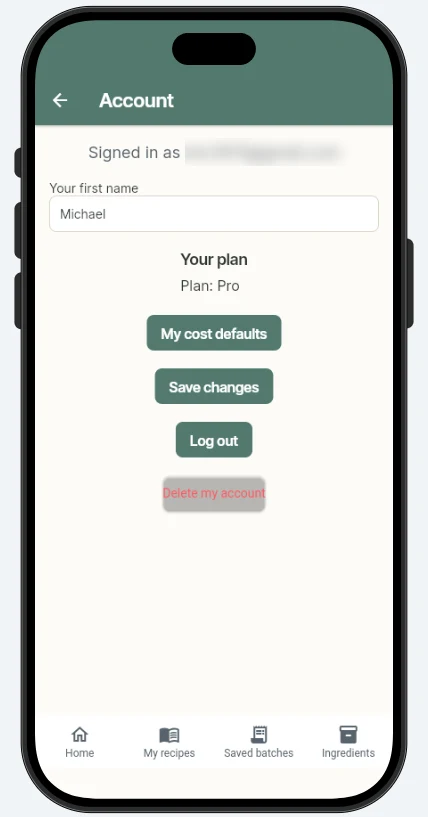
Tap the person icon at the top of Home to open Account.
- Your plan shows Free or Pro, and how many free recipes and reads you have left.
- Change Your first name and tap Save Changes.
- Log Out and Delete My Account are at the bottom.